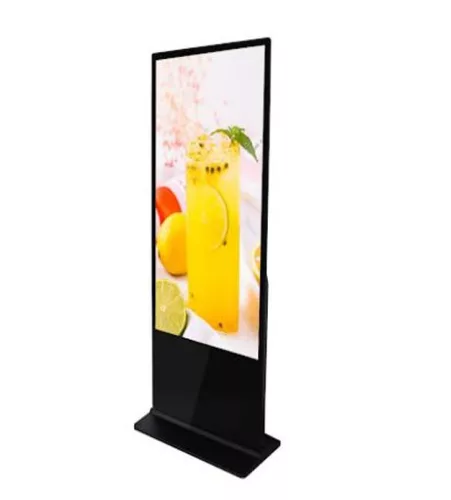
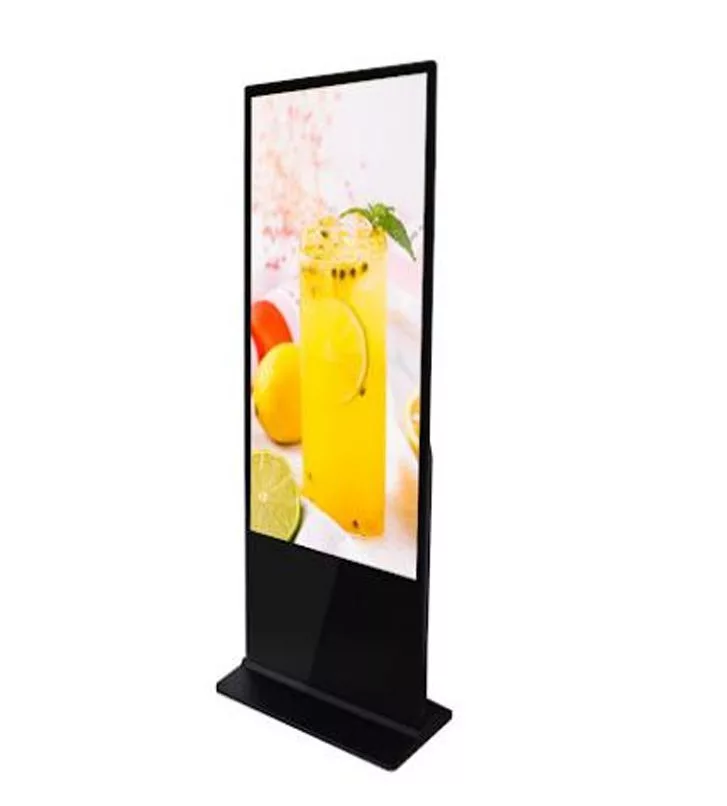
55" IP30 grade standalone display,
300nits(typ.)brightness LCD applied,
extra wide viewangle,
I/O: VGA/DVI/HDMI,
blackpainted metal chassis,
What are the technical specifications of the 75" high-brightness lcd digital signage display (RS75DS700)?
- display size: 55"
- brightness: 300 nits (sunlight readable display)
- form factor: freestanding digital signage terminal, with touch sensor
- protection: IP30
- PCAP sensor
- resolution: 3840×2160 (4k uhd)
- viewing angle: extra wide
- backlight: LED backlight
- inputs: VGA / DVI / HDMI, plus HDMI connection
- housing: black metal
- control: automatic brightness and temperature control
- operating temperature: 10–45°C
- compliance: rohs
- dimensions: 2040×1028×82 mm
- weight: 45 kg/pc
- in the box: VGA cable, power cable
Why do LED backlight and automatic thermal control matter?
Long daily uptime increases thermal load. LED backlight improves efficiency, and automatic brightness and temperature control can help stabilize performance over time by adapting to heat and ambient conditions. When you pair these features with proper ventilation and cable management, you reduce the risk of unplanned downtime and keep image quality consistent through extended operating hours.
Selection criteria: how to choose a large-format professional signage display
- brightness vs. ambient light: ~700 nits improves readability in strongly lit indoor areas.
- resolution vs. content: 4k UHD supports sharp menus, wayfinding, price lists and detailed graphics.
- connectivity: VGA/DVI/HDMI protects compatibility across generations of players and controllers.
- protection level:IP30 fits indoor environments; plan dust protection and safe access.
- thermal behavior: look for smart brightness/temperature management for long operating hours.
- installation footprint: 2040×1028×82 mm requires clearance for transport routes and service.
- operating range: 10–45°C; align room climate and airflow to this window.
- compliance and documentation: rohs and clear specs simplify procurement and audits.
CTA: build your interest list for faster sourcing
If several displays, mounts, cables or playback options could fit your site, add them to your interest list (cart) while you browse. At the end of your visit, send the list and we can respond with compatibility notes, delivery options and a practical bill of materials aligned to your installation plan.
Why quality, local technical support and scheduled maintenance keep uptime high
Large-format professional displays perform best when environmental conditions and maintenance routines are taken seriously. Keep within the recommended operating temperature, provide stable power, and leave enough ventilation space. Periodic inspection of connectors, ventilation openings and mechanical fixation helps prevent small issues from turning into outages.
- scheduled cleaning and visual checks: bezel, vents, connectors, cable strain relief.
- keep playback software and content tools updated if you use networked content management.
- use workshop or on-site service support to shorten troubleshooting and recovery time.
Supply, shipping and financing options to plan your rollout
Procurement is smoother when logistics and payment terms match your project milestones. Flexible options reduce inventory pressure and help you deliver installations on time across multiple sites.
- stock and timed inbound delivery for phased deployments.
- selectable shipping methods, customs clearance and forwarding support for sensitive electronics.
- post-payment and invoicing in foreign currency to simplify cash-flow planning.
- project-specific quotations based on quantity, lead time and technical scope.
FAQ
How is a professional signage display different from a consumer tv?
Professional signage is typically engineered for longer daily operation, higher brightness and more robust thermal behavior, plus installation and connectivity features that support commercial environments.
When do you need higher brightness for indoor locations?
If you have strong ceiling lighting, glass walls or sunlight spill, higher nits helps maintain contrast so text, icons and qr codes stay readable at a distance.
What operating conditions should you maintain?
Stay within 10–45°C, ensure stable power and airflow, and keep vents clear. Regular cleaning and connector checks reduce unexpected outages over time.
How can you speed up multi-site sourcing?
Use timed inbound delivery, selectable shipping methods, customs and forwarding support, plus foreign-currency invoicing and post-payment to keep rollout scheduling and financial planning flexible.